
botts.ai Documentation
Everything you need to build, train, and deploy AI agents for your business. Learn about the Three I's — Information, Intelligence, and Interaction — that power every botts.ai agent.
botts.ai is a Swiss platform for creating AI agents for your business — without writing a single line of code. Whether you need a chat widget on your website, a voice agent on a phone number, or an internal assistant for your team, botts.ai gives you the tools to build, train, and deploy agents that know your business inside and out.
The Three I's of an AI Agent
Every effective AI agent is built on three pillars. At botts.ai, we call them the Three I's:
Information
Knowledge bases — crawl your website or upload documents.
Intelligence
A system prompt, a model, and the tools the agent can call.
Interaction
Deploy to a website widget, a phone number, or team chat.
🧠 Information
Your agent is only as good as the knowledge behind it. Knowledge Bases are where you feed your agent the information it needs — crawl your website or upload documents (PDF, DOC, DOCX, TXT, MD). botts.ai indexes the content so your agent can retrieve accurate answers in real time, and you can link one or more knowledge bases to each agent.
Create your first Knowledge Base in the Quickstart →
⚡ Intelligence
Intelligence is the reasoning layer. It determines how your agent interprets questions, connects information, and generates helpful, on-brand responses. You shape it through the agent's system prompt, the tools it can use, and the choice of AI model — each deployment picks its own primary model, and Website and Internal Chat deployments can add a backup model for automatic failover (Phone deployments do not support backup models).
Learn more about configuring your Agent →
💬 Interaction
Interaction is how your agent meets people. From an agent's Deploy tab you can launch three channels: a Website chat widget you embed on any site, a Phone voice agent with its own phone number, and Chat (Internal) for your own team inside the botts.ai dashboard.
Learn more about Deployments →
Quick Start
Getting your first agent live takes only a few minutes:
Create a Knowledge Base
Add your website URL or upload documents (PDF, DOC, DOCX, TXT, MD).
Create an Agent
Write a system prompt that defines your agent's personality and role, and link your knowledge base.
Deploy
Open the agent's Deploy tab and launch a website widget, phone agent, or internal chat.
Follow the Quickstart guide → for a step-by-step walkthrough.
Swiss Hosting and Data Residency
botts.ai runs on Swiss infrastructure. Knowledge base documents, vectors, and chat history are stored in Switzerland for every customer, and botts.ai does not train AI models on your data.
For the AI models that power your agents, your organization chooses a data residency tier — from Swiss-hosted models operated by Swiss companies, through European options, down to no restriction (the default). Model pickers then only offer compliant models, and every deployment carries a Data Assessment badge showing exactly which countries your data touches.
Learn more about data residency in the FAQ →
Platform Overview
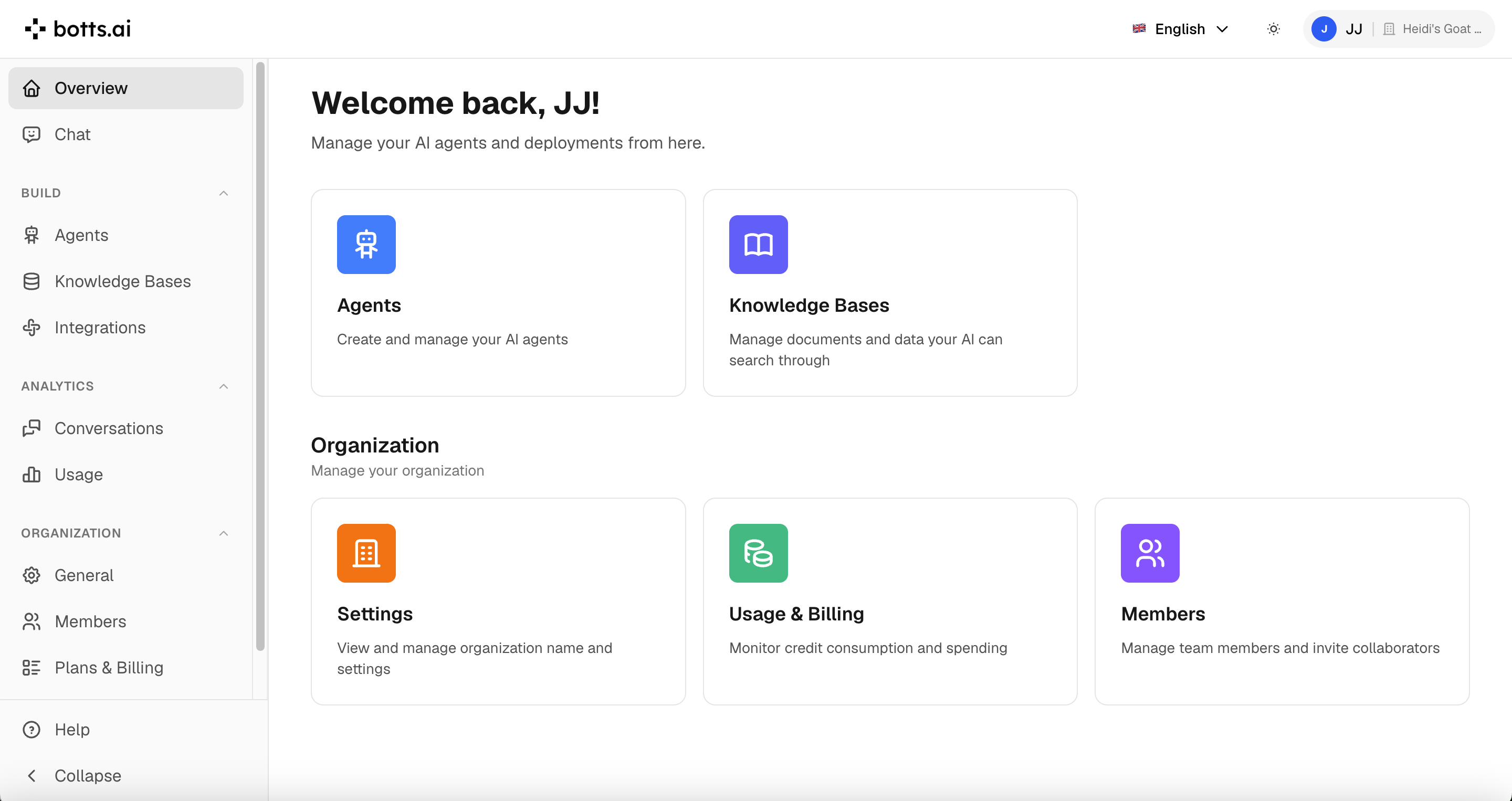
The botts.ai dashboard gives you a central place to manage everything:
- Chat — Talk to your own agents through internal chat deployments, and attach documents to ask about them.
- Scheduled — Have an agent run on a timer and deliver the result to you.
- Agents — Create and configure agents; each agent page has Configure, Deploy, Contacts, Forms, and Usage tabs.
- Knowledge — Crawl websites and upload files to build your agent's knowledge.
- Integrations — Connect MCP servers and your own APIs, and store secrets, to extend what your agents can do.
- Conversations — Review the interactions your agents have had, across all channels, and export them.
- Usage — Track your credit consumption.
Next Steps
- Quickstart → — Get your first agent live, starting with a knowledge base built from websites and files.
- Agents → — Configure system prompts, tools, and behavior.
- Deployments → — Launch website widgets, phone agents, and internal chat.
- Conversations → — Review interactions across channels.
- People & Memory → — See who your agents talk to and what they remember.
- Scheduled Tasks → — Run an agent on a schedule and get the result by email.
- Integrations → — Connect external APIs and manage secrets.
- Use Cases → — Get inspired by real-world examples.
- Team & Billing → — Manage roles, plans, and credits.
Last updated on September 13, 2026